A direct-to-vendor campaign fails in one of two places: you cannot find an address the owner will actually read, or the letter looks like the last four they binned. DTV v2 is rebuilt around both problems.
Letters are now written in Google Docs, recipient addresses are resolved from six sources in a priority order you set, and every letter reports back where it has got to. Here is what changed.
If you are still on DTV v1: we are planning its removal, so move your templates across to v2 when you get the chance.
Letters are written in Google Docs
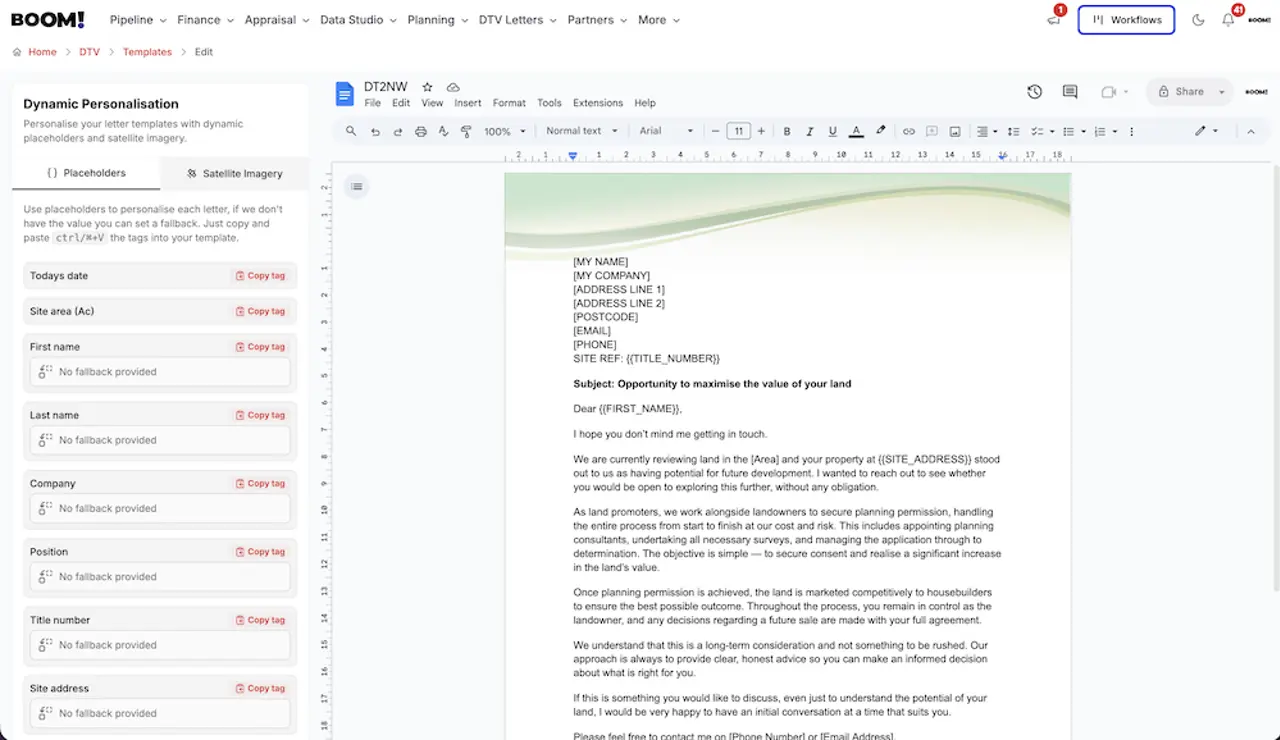
We stopped building a text editor and connected the one you already use. Connect your Google account and a DTV template is a Google Doc: your fonts, your header image, your page breaks, your letterhead.
Two things happen automatically when the letter is compiled for each recipient:
- Placeholders are filled in. Today’s date, first name, last name, company, position, title number, site address and site area in acres, plus any custom placeholder you define with a fallback value for when we do not hold it.
- A site image is inserted. Add the satellite image placeholder to the template and each letter gets an aerial photograph of that owner’s land with the registered title boundary drawn on it in red. It is the line that makes an owner read the rest, because it proves you are writing about their land and not sending a circular.
Six address sources, in the order you choose
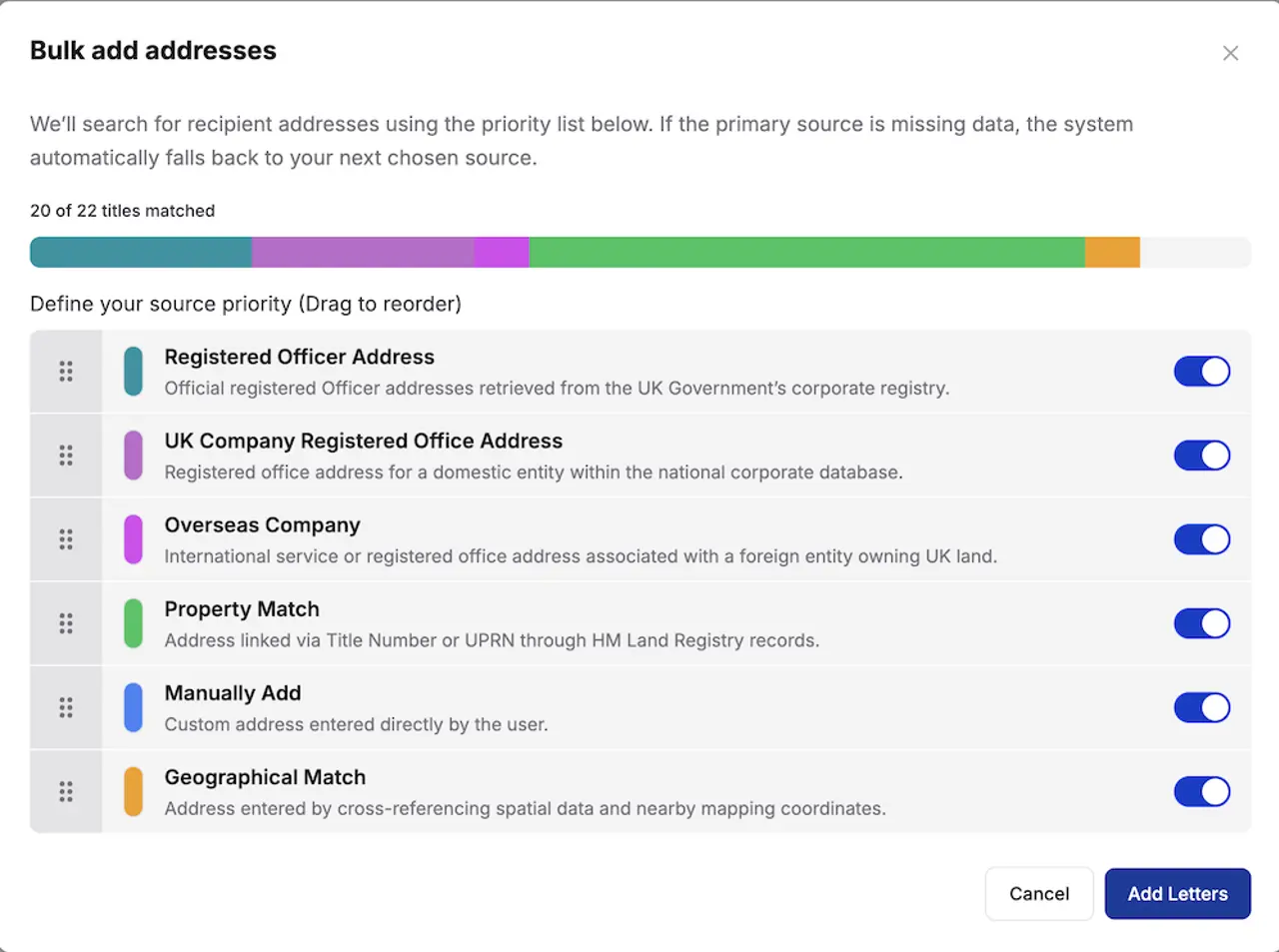
Finding the owner is the hard half of direct-to-vendor. Bulk Add takes a list of titles and works down a priority list until it finds a deliverable address for each one:
- Property match — an address linked by title number or UPRN through HM Land Registry records.
- Companies House — the registered office of a UK company owner.
- Company director — a registered officer’s address from the UK corporate registry.
- Overseas company — the service or registered office address of an overseas owner.
- Geographic match — an address found by cross-referencing spatial data with nearby mapping coordinates.
- Manual — anything you enter yourself.
You drag the sources into the order you want and switch off any you do not want used. That matters more than it sounds: writing to a director’s home address gets a different response rate from writing to a registered office that is an accountant’s post room, and which one you prefer is a judgement about your patch, not a setting we should make for you.
Three ways to send
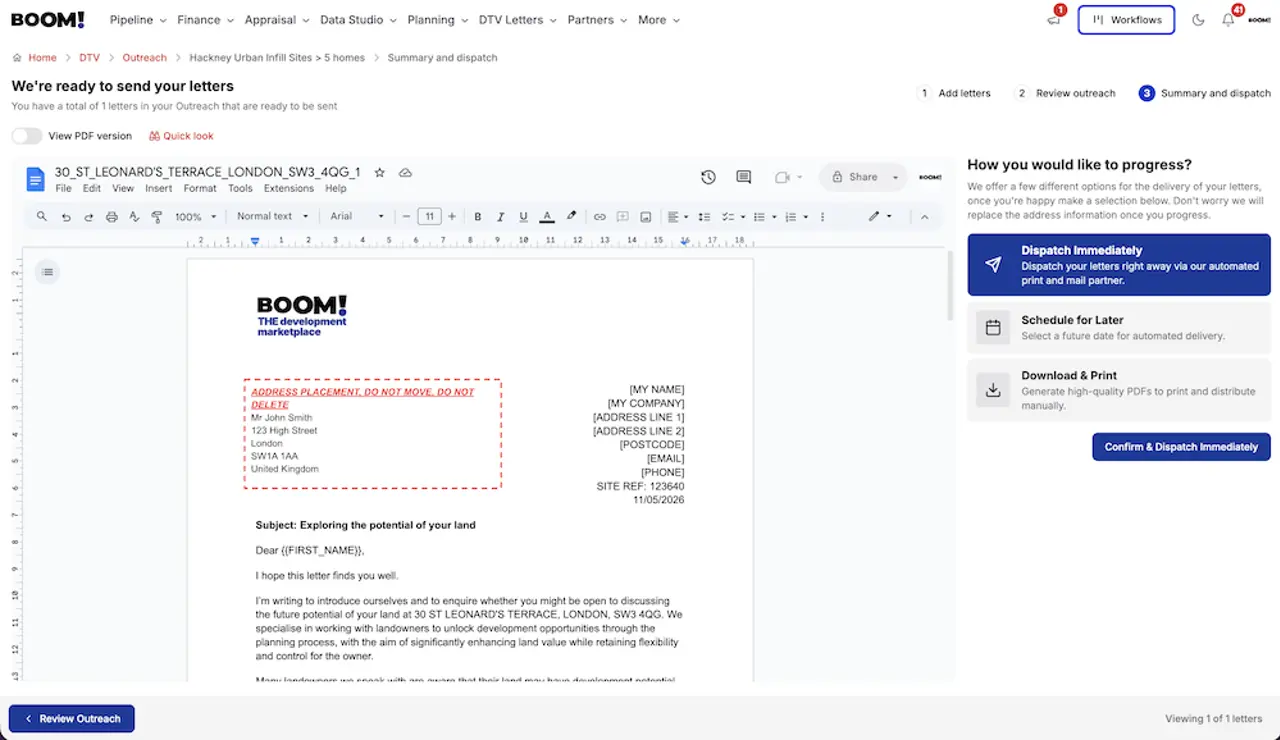
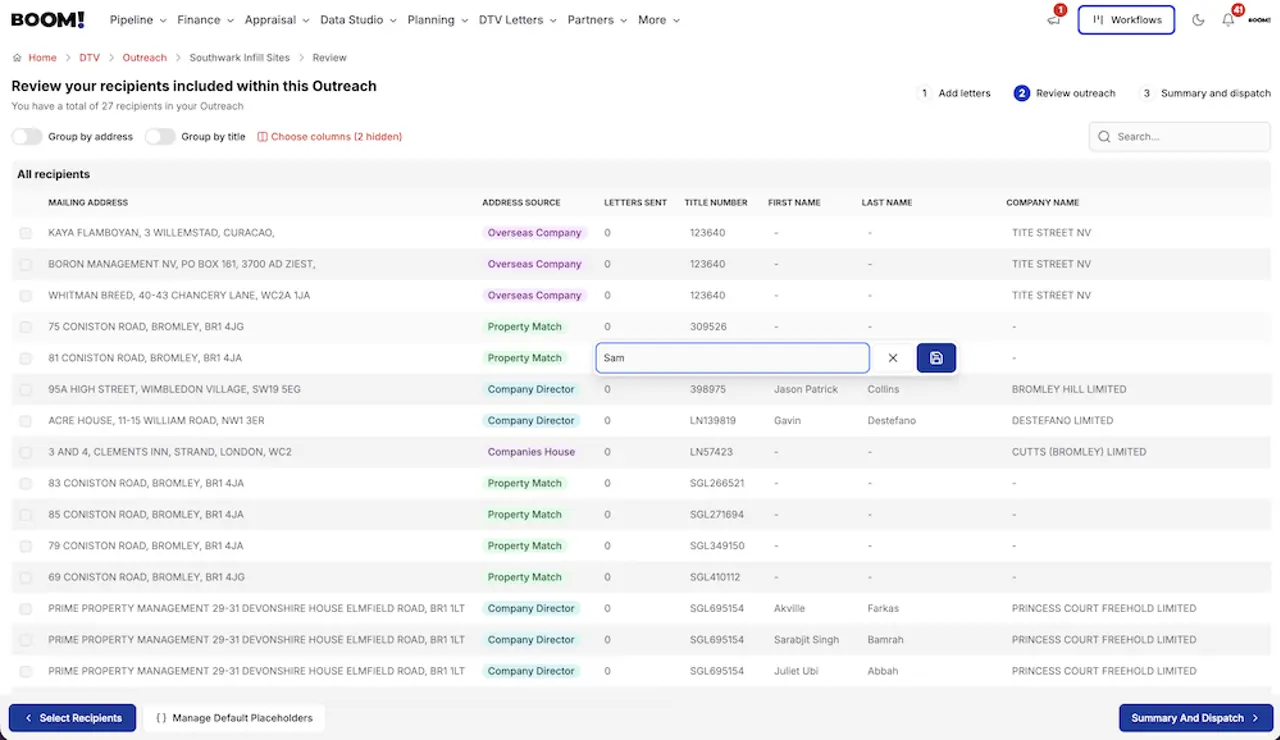
The outreach flow is three steps — add letters, review outreach, then summary and dispatch:
- Dispatch now — straight to our print and mail partner.
- Schedule — set a future date. A scheduled outreach can be rescheduled or cancelled before it goes.
- Download — take the compiled, personalised batch and post it yourself.
Every letter reports back
The sent letters page shows where each one has got to:
- Received — our partner has the request.
- Printing — the mailpiece is being produced and finished.
- With Royal Mail — handed over to the delivery service.
- Out for delivery — at the final delivery office, due within 24 hours.
- Delivered — our estimate that the item arrived.
That last one is an estimate rather than a signature. Standard mail is not individually tracked end-to-end, so treat “delivered” as the point to start your follow-up clock, not as proof of receipt.
A letter can be cancelled while it is still at Received — that is, before it reaches the printer. After that it is on its way.
Follow-ups are built in
Most responses to a cold landowner letter come from the second or third contact, not the first. From outreach history you can create a follow-up outreach against an existing campaign, so the second letter goes to the same owners without rebuilding the list.
Where to start
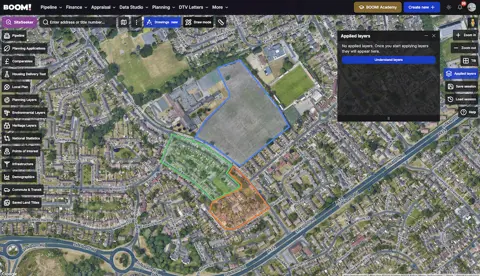
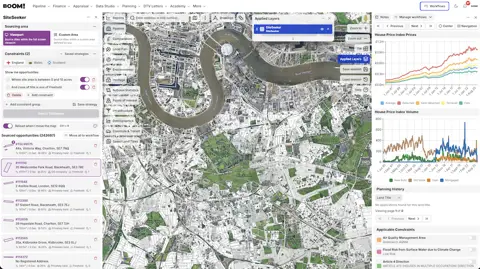
Build the list first. A DTV campaign is only as good as the titles behind it, so run the search, narrow it in SiteSeeker until you would be happy to buy every site on it, then write one letter you would answer yourself. Our guide to approaching landowners directly covers what to put in it.